How to edit PDF metadata on Linux
Linux has no shortage of ways to change a PDF's metadata. The one you pick depends on whether you want a graphical editor, a scriptable command, or a package that fits your distribution's package manager.
This page covers installation for every channel the app ships through, then the metadata workflows themselves.
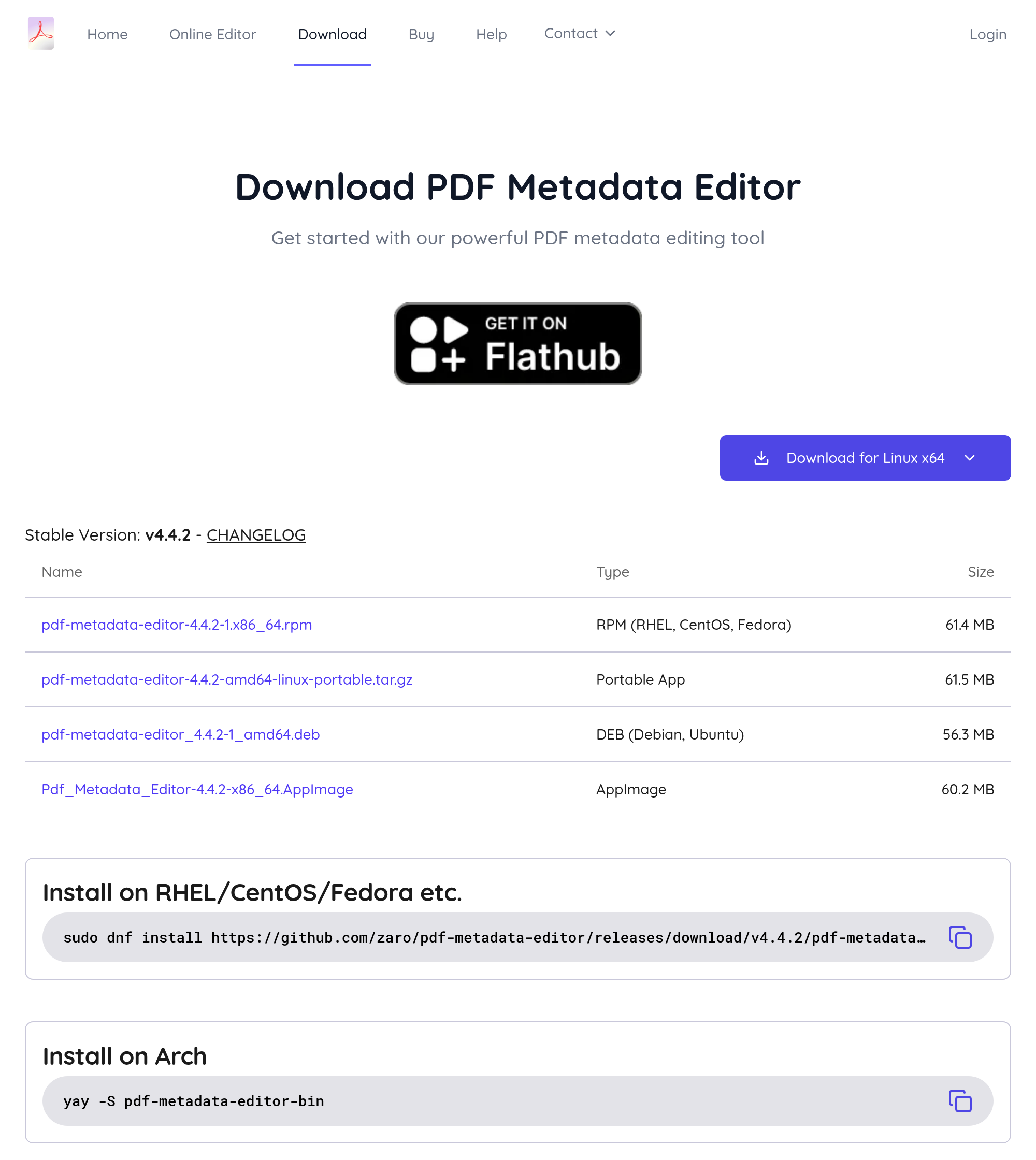
Install
The application is a Java desktop app with a bundled runtime in the native packages, so you do not need to install a JRE separately unless you use the standalone JAR.
| Distribution | Recommended | Command |
|---|---|---|
| Any, with Flatpak | Flathub | flatpak install flathub me.broken_by.PdfMetadataEditor |
| Debian, Ubuntu, Mint | DEB | sudo apt install ./pdf-metadata-editor_4.5.0-1_amd64.deb |
| Fedora, RHEL, CentOS | RPM | sudo dnf install ./pdf-metadata-editor-4.5.0-1.x86_64.rpm |
| openSUSE | RPM | sudo zypper install ./pdf-metadata-editor-4.5.0-1.x86_64.rpm |
| Arch, Manjaro | AUR | yay -S pdf-metadata-editor-bin |
| Any | AppImage | chmod +x the file, then run it |
| Any | Portable tarball | Extract and run the launcher inside |
Always check the download page for the current version number and the arm64 assets.
Flatpak
flatpak install flathub me.broken_by.PdfMetadataEditor
flatpak run me.broken_by.PdfMetadataEditor
Flatpak applications are sandboxed. If the file chooser cannot see a directory,
grant access with Flatseal or run the app with a wider filesystem permission.
System installs live under /var/lib/flatpak/app/me.broken_by.PdfMetadataEditor;
per-user installs under ~/.local/share/flatpak/.
Debian and Ubuntu
Download the .deb for your architecture and install it with apt, which
resolves any dependencies:
sudo apt install ./pdf-metadata-editor_4.5.0-1_amd64.deb
The application installs to /opt/pdf-metadata-editor.
Fedora, RHEL and CentOS
Download the .rpm and install it directly from the URL or from disk:
sudo dnf install ./pdf-metadata-editor-4.5.0-1.x86_64.rpm
On openSUSE, use zypper with the same package:
sudo zypper install ./pdf-metadata-editor-4.5.0-1.x86_64.rpm
Arch and Manjaro
yay -S pdf-metadata-editor-bin
AppImage
The AppImage runs without installation. Mark it executable first:
chmod +x Pdf_Metadata_Editor-4.5.0-x86_64.AppImage
./Pdf_Metadata_Editor-4.5.0-x86_64.AppImage

In GNOME Files or Dolphin you can do the same without a terminal: right-click the AppImage, open Properties → Permissions and switch on Executable as Program.
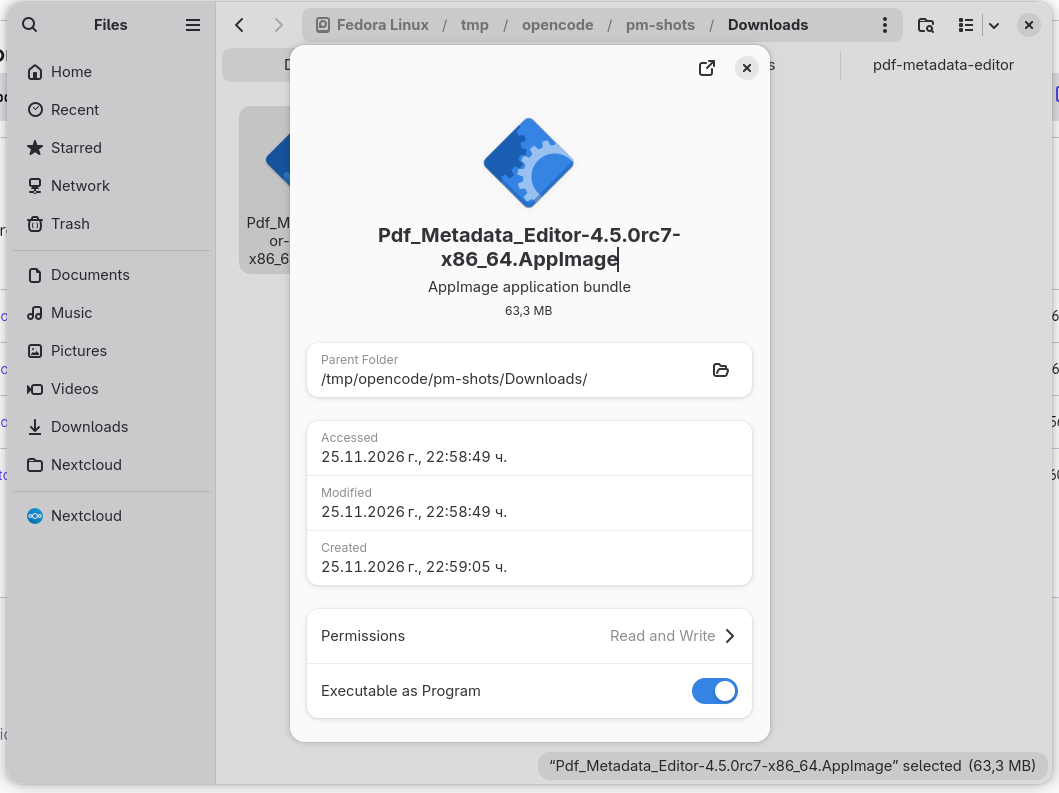
If the AppImage refuses to start because FUSE is missing, either install
libfuse2 (the package name varies by distribution) or extract and run it:
./Pdf_Metadata_Editor-4.5.0-x86_64.AppImage --appimage-extract-and-run
The aarch64 AppImage is the equivalent build for ARM machines such as
Raspberry Pi 4/5 and ARM laptops.
Portable tarball and standalone JAR
The portable tarball contains the same bundled runtime as the installers, so it
needs no system Java. The standalone pdf-metadata-editor-*.jar does require a
JRE on the PATH:
java -jar pdf-metadata-editor-4.5.0.jar
Edit metadata in the GUI
- Launch the app from your application menu, or run the AppImage.
- Click Open PDF.
- Edit the Document tab for title, author, subject and keywords.
- Select Copy Doc to XMP in the on-save panel so readers that prefer XMP show the new values.
- Click Save.
The XMP tabs expose the individual schemas — Dublin Core, XMP Basic, XMP Rights, the Adobe PDF schema and Media Management. The XMP reference explains what each one holds.
Edit a folder of PDFs
The batch editor is the reason many people install the desktop version on Linux:
- Open the Batch tab and choose Set Metadata.
- Click Parameters, tick the fields to change and enter the values.
- Add files or a folder.
- Choose an output folder so the originals stay untouched.
- Click Begin.
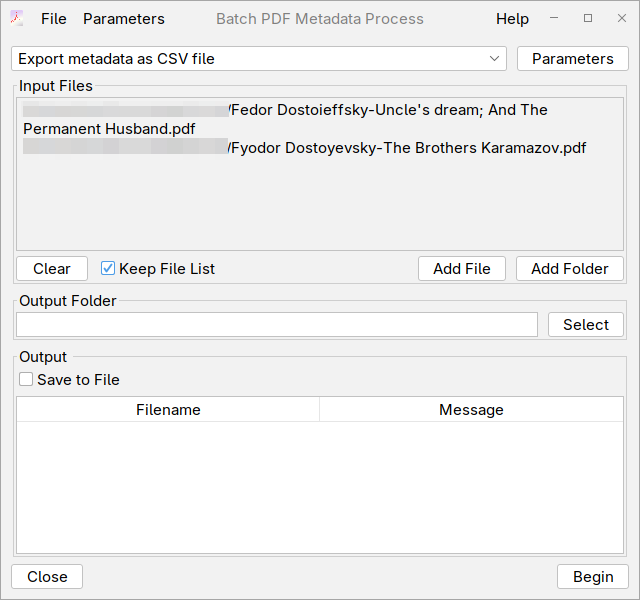
The batch tutorial has the full walkthrough, and the batch interface reference documents every option.
Edit metadata from the terminal
The desktop installation includes pmedit-cli. It is the same tool on every
distribution and works over SSH, in scripts and in cron jobs:
# Set one field on one file
pmedit-cli edit "doc.title=Quarterly Report 2026" report.pdf

# Set the author on every PDF in a directory
pmedit-cli edit "doc.author=Jane Doe" *.pdf

# Remove all metadata from a set of files
pmedit-cli clear all *.pdf

# Export metadata for a spreadsheet
pmedit-cli tocsv file.name doc.title doc.author *.pdf
See the command line reference for the full field list and every command. For headless servers, the CLI is the only part you need — the GUI requires a display server.
Alternatives on Linux
If you would rather use existing system tools:
- ExifTool (
exiftool -Title="..." file.pdf) reads and writes a wide range of metadata across file formats. It appends PDF edits, so old values can remain recoverable; rewrite withqpdfif that matters. - pdftk can update the Info dictionary with
update_info, but not the XMP block. - qpdf is best at rewriting and compacting a PDF, not at editing fields.
A dedicated editor is easier when you need consistency between the Info dictionary and XMP, or when you want to edit the XMP rights and viewer options.
Troubleshooting
| Problem | Cause | Fix |
|---|---|---|
| AppImage will not start | FUSE missing | Install libfuse2, or use --appimage-extract-and-run |
| Flatpak cannot see a folder | Sandbox permissions | Grant filesystem access in Flatseal |
java: command not found | Using the standalone JAR without a JRE | Install a JRE, or use a package with a bundled runtime |
pmedit-cli: command not found | Using the portable build | Run the CLI from the extracted directory, or add it to PATH |
| Save fails on a protected PDF | Permissions forbid modification | Open with the owner password, or remove protection first |
Frequently asked questions
Does the app work on Wayland?
Yes, through the bundled Java runtime. If the window does not appear on a fractional-scaling setup, try launching with the X11 backend.
Is there a native package for my distribution?
The project publishes DEB, RPM and AppImage builds plus a Flathub package and an AUR recipe. If none matches, the AppImage is the most portable option.
Can I edit metadata on a server without a desktop?
Use pmedit-cli. It is included with the desktop installation and does not need
a display.